Inside a Firewall: How It Decides What Gets In and What Gets Dropped
From simple packet filtering to stateful inspection and next-gen deep packet analysis — how firewalls decide what gets in, what gets dropped, and why.

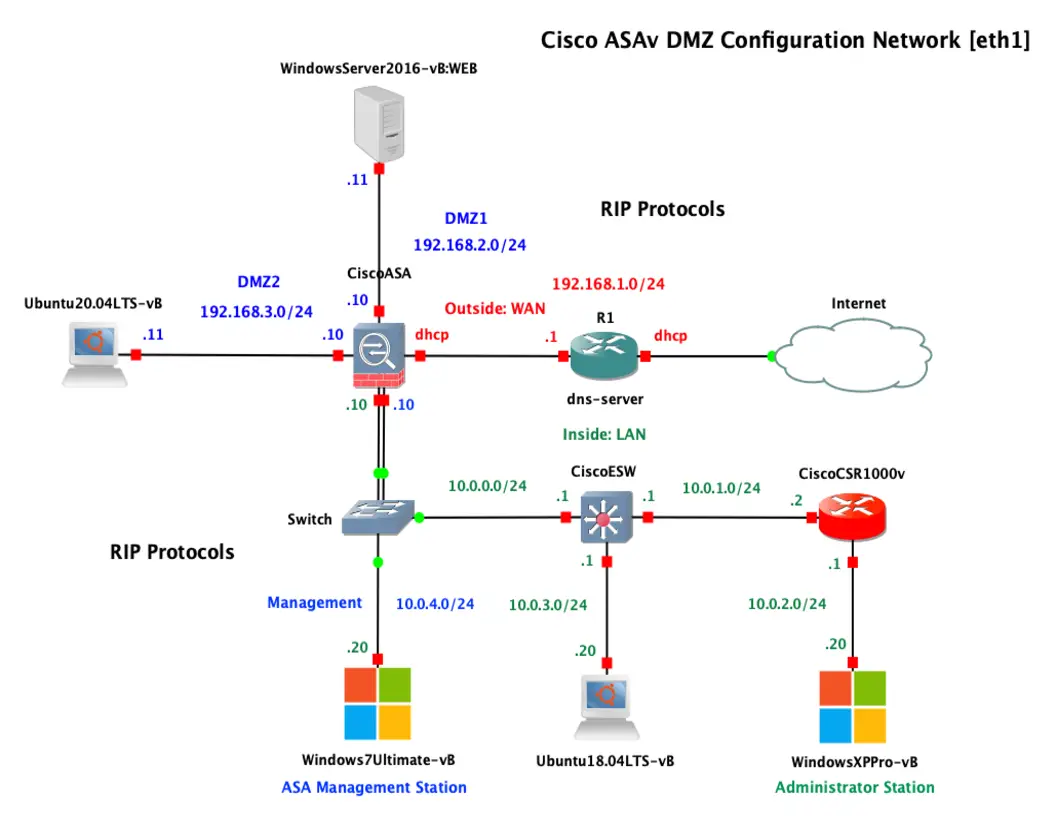
A firewall is a gatekeeper that sits between two networks — usually your trusted internal network and the untrusted internet — and decides which traffic is allowed to pass. It enforces a set of rules so that legitimate traffic flows while malicious or unwanted traffic is dropped. Here is how it actually makes those decisions.
The core idea: a rule-based checkpoint
Every packet that arrives is compared against an ordered list of rules. Each rule describes traffic by properties such as:
- Source and destination IP address
- Source and destination port (for example, 443 for HTTPS)
- Protocol (TCP, UDP, ICMP)
- Direction (inbound or outbound)
The firewall walks the list top to bottom and applies the first rule that matches. If nothing matches, a default policy kicks in — and a well-configured firewall defaults to deny.
Rule of thumb: default deny, then explicitly allow only what you need. Everything you do not open stays closed.
The three generations of firewalls
1. Packet-filtering firewalls
The earliest type. They inspect each packet in isolation using its headers — IP, port, protocol — and allow or drop it. Fast, but stateless: they do not remember that a packet is part of an existing conversation.
2. Stateful inspection firewalls
This is what most networks use today. A stateful firewall keeps a connection table that tracks the state of every active session. When you open a connection to a website, the firewall remembers it and automatically allows the return traffic — without you writing a rule for it. It also drops packets that pretend to belong to a conversation that never started, which stops many spoofing and injection attacks.
3. Next-Generation Firewalls (NGFW)
An NGFW adds deep packet inspection, looking beyond headers into the actual content. It can:
- Identify applications regardless of port (e.g., spot BitTorrent hiding on port 443)
- Run intrusion prevention (IPS) signatures to catch known exploits
- Filter by user identity, not just IP
- Inspect encrypted traffic through TLS decryption
How it blocks bad traffic in practice
- A packet arrives at the firewall interface.
- State check — Is it part of an established, allowed connection? If yes, pass it.
- Rule evaluation — If new, match it against the rule set in order.
- Deep inspection (NGFW) — Scan payload for malware signatures or policy violations.
- Decision — Allow, drop (silently discard), or reject (drop and notify the sender).
- Logging — Record the event so you have visibility for later analysis.
A practical rule set for a small network
- Allow outbound web (80/443) from the trusted zone.
- Allow established/related return traffic automatically.
- Block inbound connections from the internet except the specific services you host.
- Isolate IoT devices so they cannot reach your trusted machines.
- Log every denied inbound attempt.
Why logging matters as much as blocking
A firewall that blocks silently and never logs leaves you blind. The logs tell you what is being attempted, where scans are coming from, and whether a rule is too loose or too strict. Pair your firewall with a log collector or SIEM, and you turn a passive wall into an active early-warning system.