Hardening Your Home Network with a Next-Gen Firewall
A practical walkthrough for turning a basic home router setup into a segmented, defensible network using pfSense or OPNsense.

Most home networks are flat: every device can talk to every other device. That is convenient, but it also means a single compromised smart bulb can reach your laptop. In this post we walk through a pragmatic way to segment and defend a home network.
Why segmentation matters
A flat network gives an attacker lateral movement for free. By splitting traffic into zones, you contain the blast radius of any single compromise.
- Trusted — your laptops and phones
- IoT — cameras, TVs, smart plugs
- Guest — visitors, isolated from everything else
- Lab — your test machines and VMs
Step 1: Pick a firewall
Both pfSense and OPNsense are excellent open-source options. Install on a small mini-PC with two or more NICs and you get enterprise-grade features for free.
Step 2: Create VLANs
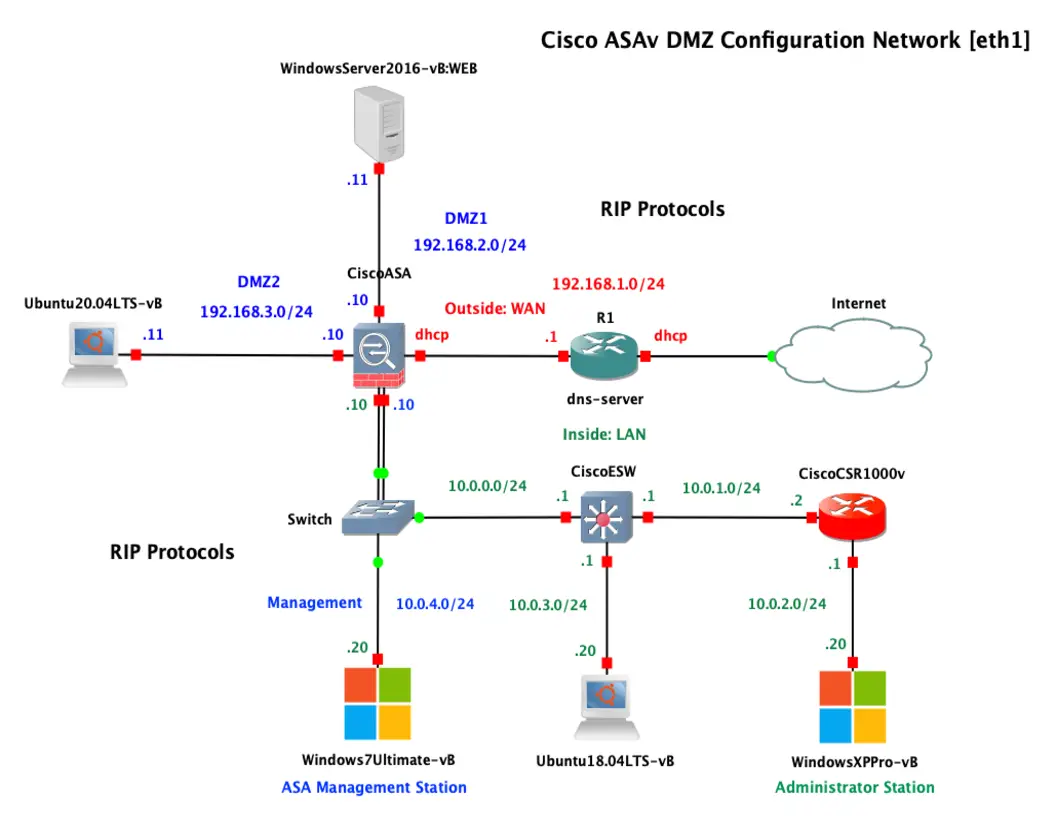
Create one VLAN per zone and map them to interfaces or tagged ports on a managed switch. Then write firewall rules so that:
- IoT can reach the internet but not the Trusted VLAN.
- Guest can reach the internet only.
- Lab is fully isolated unless you explicitly allow a flow.
Step 3: Turn on logging
You cannot defend what you cannot see. Enable rule logging and forward the logs to a collector so you can review what is really happening on your network.
Segmentation plus visibility is 80% of a solid home defense.
In the next post we will feed those firewall logs into a SIEM for real-time detection.