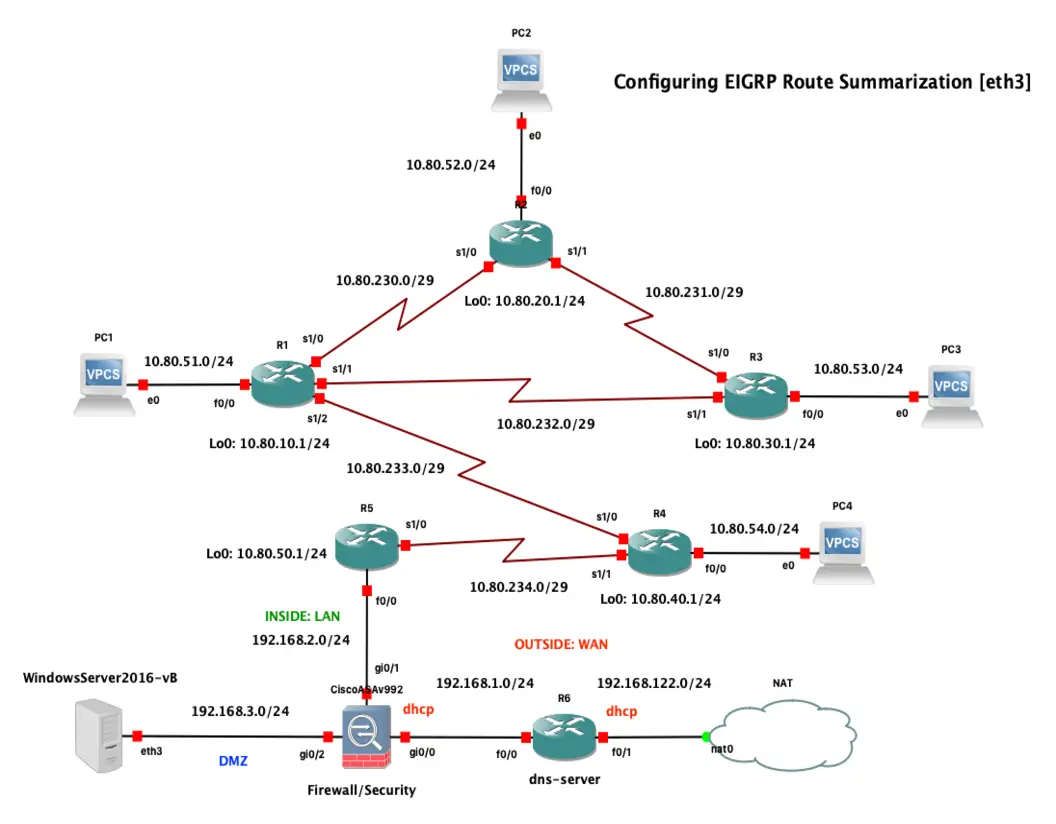
Cisco IOS Lab: EIGRP Route Summarization for Scalable Networks
EIGRP Route Summarization Configuration and Verification
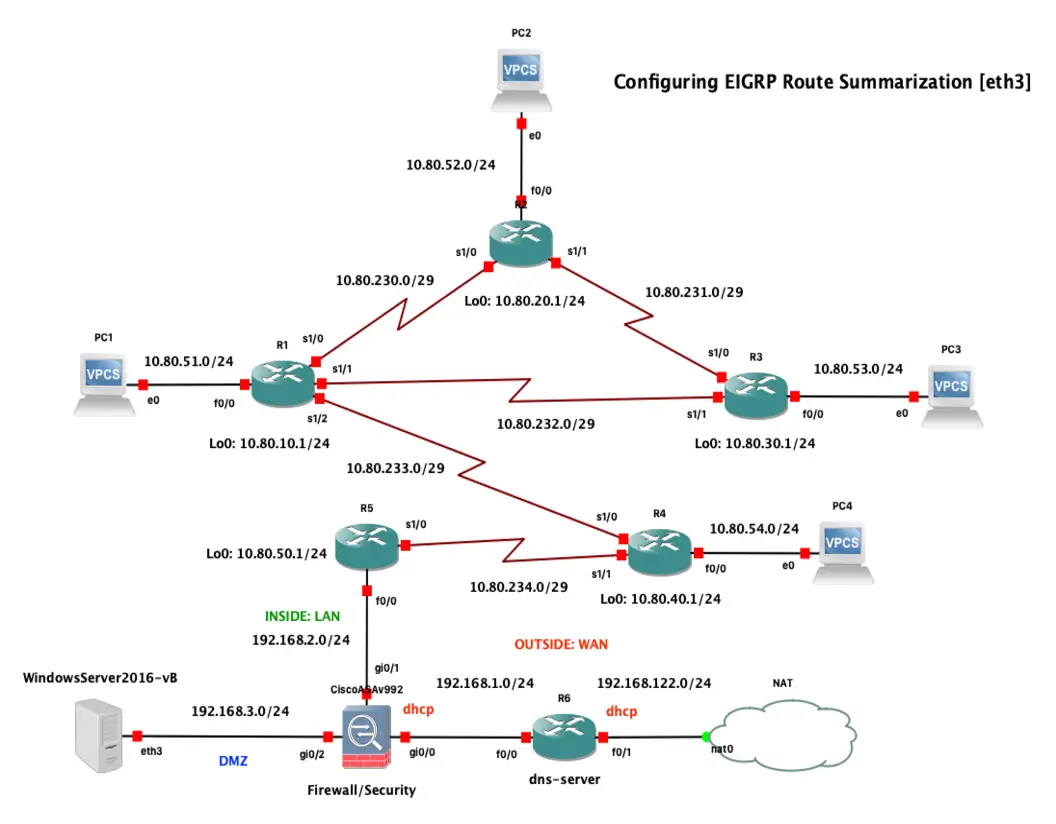
Why EIGRP Route Summarization Matters
Diagram by Jv Cyberguard
Enhanced Interior Gateway Routing Protocol (EIGRP) is designed to converge quickly and scale well, but large networks can still suffer from oversized routing tables, excessive query propagation, and unnecessary instability. Route summarization helps by combining multiple specific routes into a single, broader prefix.
In Cisco IOS, EIGRP summarization is especially useful at distribution layers, WAN edges, branch routers, and any point where many contiguous subnets can be represented by one aggregate.
Key benefits include:
- Smaller routing tables
- Reduced EIGRP query scope
- Faster convergence in some failure scenarios
- Better bandwidth efficiency on routing updates
- Cleaner route advertisement boundaries
- Isolation of instability from downstream networks
What Route Summarization Does in EIGRP
Route summarization allows a router to advertise one summary prefix instead of several more-specific routes.
For example, instead of advertising:
- 10.10.0.0/24
- 10.10.1.0/24
- 10.10.2.0/24
- 10.10.3.0/24
A router could advertise:
- 10.10.0.0/22
This works best when the component routes are contiguous and fit cleanly within a summarizable binary boundary.
Manual vs Automatic Summarization
Historically, EIGRP supported automatic summarization at classful network boundaries. In modern networks, this is usually undesirable because most enterprise designs use VLSM and discontiguous addressing.
You should understand both behaviors:
-
Automatic summarization
- Summarizes at classful boundaries
- Can cause reachability problems in discontiguous networks
- Usually disabled in modern deployments
-
Manual summarization
- Configured explicitly on interfaces
- Gives precise control over advertised aggregates
- Preferred in real-world designs
In most environments, manual summarization is the correct approach.
EIGRP Automatic Summarization in Cisco IOS
Older IOS behavior often enabled auto-summary by default, while newer platform behavior may differ depending on version and feature set. The safest practice is to verify the current configuration rather than assume defaults.
To disable automatic summarization:
router eigrp 100
 no auto-summary
To verify:
show running-config | section router eigrp
show ip protocols
Look for output indicating whether automatic summarization is enabled.
How Manual EIGRP Summarization Works
Manual summarization in EIGRP is configured per interface, not under the EIGRP process itself. That is an important operational detail.
When you configure a summary on an interface:
- The router advertises the summary route out that interface
- More-specific component routes are suppressed from that advertisement
- The router installs a summary route to
Null0 - The summary helps prevent routing loops if part of the aggregate becomes unavailable
That Null0 route is a normal and expected behavior.
Example Topology
Assume a branch aggregation router has these LAN routes:
- 172.16.0.0/24
- 172.16.1.0/24
- 172.16.2.0/24
- 172.16.3.0/24
These can be summarized as:
- 172.16.0.0/22
And advertised toward the WAN from interface GigabitEthernet0/0.
Configuration Example
First, ensure EIGRP is enabled and the specific networks are participating:
router eigrp 100
 no auto-summary
 network 172.16.0.0 0.0.3.255
 network 10.0.0.0 0.0.0.3
Then configure manual summarization on the outbound interface:
interface GigabitEthernet0/0
 ip summary-address eigrp 100 172.16.0.0 255.255.252.0
This tells IOS to advertise 172.16.0.0/22 for EIGRP autonomous system 100 out that interface.
Verification Commands
After configuration, verify both the summary advertisement and the local routing behavior.
Useful commands:
show ip route
show ip route eigrp
show ip eigrp topology
show ip protocols
show ip interface GigabitEthernet0/0
You may also inspect the interface-specific summary configuration in the running config:
show running-config interface GigabitEthernet0/0
Expected results include:
- The summary route appears as being advertised
- A local route to
Null0exists for the summary prefix - Neighboring routers learn the summary instead of all component subnets
Example route table behavior:
D 172.16.0.0/22 [90/xxxxx] via 10.0.0.2, GigabitEthernet0/0
And on the summarizing router, you may see something like:
D 172.16.0.0/22 is a summary, Null0
Understanding the Null0 Summary Route
The Null0 route often confuses engineers the first time they see it.
Why IOS installs it:
- It prevents packets matching the summary from looping endlessly
- It acts as a discard route for destinations inside the summary that do not have a matching specific route
- It supports safe aggregation behavior
Example:
- Router summarizes
172.16.0.0/22 - A packet arrives for
172.16.3.50 - If
172.16.3.0/24exists, the more-specific route wins - If that specific route is missing, the packet can be dropped via
Null0
This is expected and desirable.
Query Scope Reduction
One of the biggest advantages of summarization in EIGRP is query containment.
EIGRP uses the Diffusing Update Algorithm (DUAL). When a route is lost and no feasible successor exists, a router may send queries to neighbors asking whether they know an alternative path. In large, flat topologies, these queries can spread widely.
Summarization helps by creating boundaries:
- Upstream routers only know the summary
- They do not need visibility into every component subnet
- Failures of internal subnets may stay local
- Query storms are less likely to propagate across the network
This improves scalability and reduces the blast radius of downstream failures.
Metric Behavior and Summary Routes
A summary route has its own advertisement behavior and does not simply mirror each component route one-for-one.
Operationally, remember:
- The summary represents reachability to a set of subnets
- Neighbor routers choose paths based on the advertised summary metric
- Uneven internal path quality can be hidden behind the aggregate
- Summarization trades granularity for simplicity and scale
This is usually a good trade-off, but it means upstream routers lose visibility into the best path for each individual subnet.
Design Considerations
Before creating summaries, confirm that the addressing plan supports aggregation cleanly.
Good summarization design usually involves:
- Contiguous address allocation
- Hierarchical network design
- Summaries placed at distribution or boundary routers
- Avoiding overly broad aggregates
- Documenting summary boundaries clearly
Poor summarization choices can create black holes if the summary includes ranges that are not actually reachable.
For example, if you summarize:
- 172.16.0.0/16
But only a few /24 networks truly exist, traffic for nonexistent subnets may still follow the summary until discarded.
How to Calculate a Summary Prefix
A quick method:
- List the target networks in binary
- Identify the leftmost common bits
- Count how many bits match
- Build the summary mask from that common prefix length
Example with four /24s:
- 192.168.4.0/24
- 192.168.5.0/24
- 192.168.6.0/24
- 192.168.7.0/24
Third octet values in binary:
4  = 00000100
5  = 00000101
6  = 00000110
7  = 00000111
The first 6 bits are common in that octet, so the summary is:
192.168.4.0/22
Equivalent mask:
255.255.252.0
Common Pitfalls
EIGRP summarization is straightforward, but a few mistakes appear often:
- Summarizing noncontiguous networks into one aggregate
- Forgetting that manual summaries are configured on interfaces
- Assuming
auto-summarybehavior without verifying IOS version/config - Advertising a summary that covers nonexistent or remote space
- Misinterpreting the
Null0route as a problem - Over-summarizing and hiding useful path detail
A careful addressing plan prevents most of these issues.
Troubleshooting Tips
If summary routing does not behave as expected, check the following:
- Are the component routes present in the local routing table?
- Is EIGRP running in the correct autonomous system?
- Was the summary applied to the correct interface?
- Does the mask exactly match the intended aggregate?
- Is
no auto-summaryconfigured if needed? - Do neighbors see the summary route instead of specifics?
Helpful commands:
show ip eigrp neighbors
show ip eigrp topology all-links
show ip route <summary-prefix>
show ip route <specific-prefix>
debug eigrp packets
Use debugging carefully in production because it can be noisy.
Best Practices
For stable and scalable EIGRP deployments, follow these practices:
- Disable automatic summarization unless you have a very specific reason not to
- Use manual summaries at network boundaries
- Allocate addresses hierarchically from the beginning
- Summarize only contiguous, truly reachable blocks
- Verify the resulting
Null0route and downstream advertisements - Test failure scenarios to confirm query containment and traffic behavior
- Keep documentation of summary blocks and ownership
Final Thoughts
Cisco IOS EIGRP route summarization is one of the simplest ways to improve routing scale and stability. By reducing the number of advertised prefixes and containing EIGRP queries, summaries make the network easier to operate and more resilient during failures.
The key idea is simple: summarize deliberately, at the right interface, with a clean addressing plan. If you do that, EIGRP becomes far easier to manage in growing environments.